
Save & Print iPhone Messages
- Backup iPhone Messages to Computer
- Export Messages to PDF with Forensic Details
- Print SMS with Dates and Timestamps
- Save Message Attachments –
Images, Videos & Audio - Supports SMS, MMS, RCS, iMessage & WhatsApp


All models of iPhone, iPod and iPad supported including iPhone 18 and iOS 27 devices
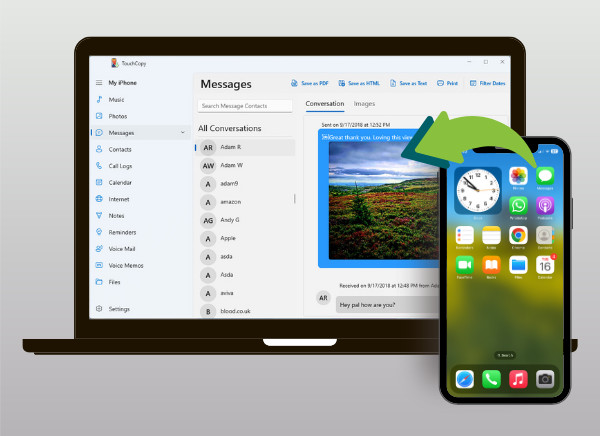
View and Export iPhone Messages
Whether you're saving cherished conversations or printing messages for legal or business use, TouchCopy makes it effortless.
With built-in Smart Conversation Filtering, you can quickly find messages by contact name or message content, making it easy to locate and export the conversations you need.
For legal proceedings or detailed record-keeping, TouchCopy also offers forensic message export options, including Bates numbering, numeric message identifiers and extended device information. These features help make exported conversations easier to organize and reference.


Print Text Messages From iPhone
Need a hard copy? TouchCopy makes it easy to print iPhone message conversations, including dates, times, contact details and attached images.
Customize your printouts by choosing the date ranges, contact information display, font size, and even a compact layout to save paper.

What is included in message exports created by TouchCopy


