
How to install or remove Music Tag from your PC.
This support article details how to install Music Tag on to your computer. It also shows you how to remove Music Tag from your computer once it has been installed.
How to Install Music Tag.
Summary
To install Music Tag to your PC, follow these steps...
- Download the latest Music Tag installer.
- Open/run the downloaded Music Tag installer file.
- Follow the on-screen installation prompts.

Detailed Steps
1. Depending on the browser you are using, a windows should appear like this one. Click "Save". Music Tag will then download to your PC.

2. Once the download is complete, click "Run" to start the Music Tag installer.

Alternatively, you can start the Music Tag installer by double clicking the downloaded installer package. Depending on your web browser, the installer will either either have been downloaded to your Desktop or your Downloads folder.
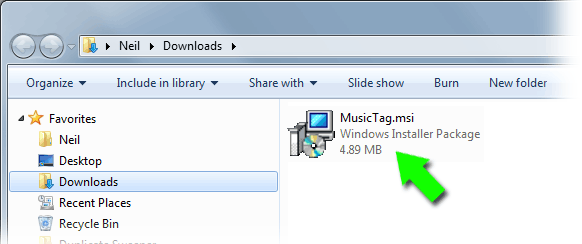
3. Double click on the Music Tag installer to start installation.
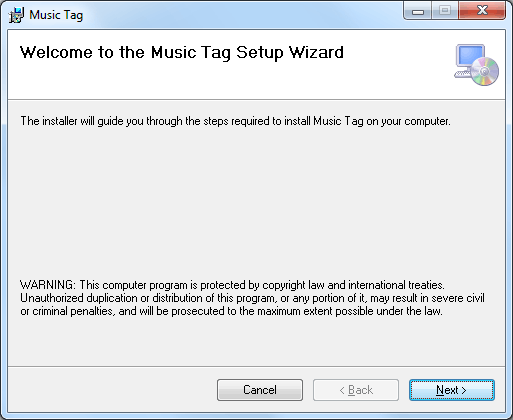
4. Work through the on screen prompts of the installer by clicking next.
5. Once installed, you can run Music Tag by double clicking the Music Tag icon on your desktop.

How to Uninstall Music Tag.
Summary
To uninstall Music Tag, follow these steps...
- Open your "Windows Control Panel" and select "Uninstall a Program".
- Select Music Tag from the list of installed programs and select "Uninstall".
- Follow the on-screen prompts to fully remove Music Tag from your PC.
Detailed Steps
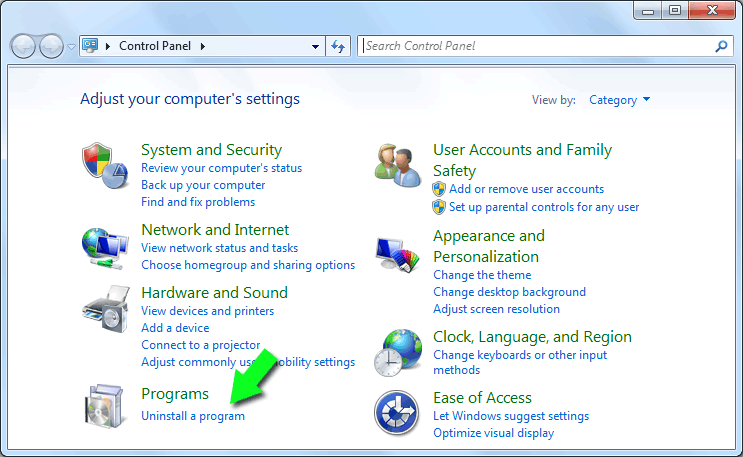
To completely uninstall Music Tag from your PC, open your Windows Control panel and Select "Uninstall a Program".
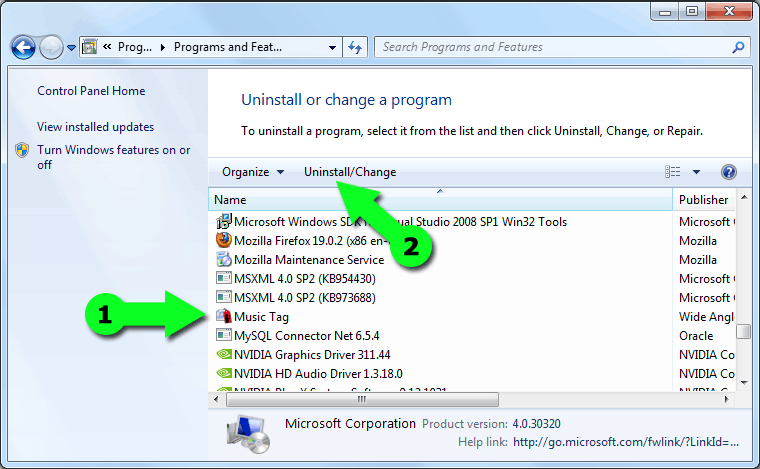
Next (1) Select Music Tag from the list of installed software on your PC. Then (2) click the "Uninstall" button.
The Music Tag uninstaller will then start. Follow the on-screen prompts to quickly remove all traces of Music Tag from your computer.
Thank you for trying Music Tag.

Popular FAQs
- How to Activate Music Tag
- I have Forgotten my License Password
- How can I Download Missing Tags using Music Tag?
- How do I Download Missing Artwork using Music Tag?
- How to Edit MP3 Tags with Music Tag
- Edit FLAC Music File Tags with Music Tag
- How do I use Music Tag with iTunes Files?
- How to Get Album Artwork on iTunes
- Music Tag is not Connecting to the Internet - Troubleshooting
- Which Audio Formats are Supported by Music Tag?
- What are the Free Trial Limitations of Music Tag?