Welcome to TouchCopy 09 User Manual.
This document will guide you through the steps to using TouchCopy.
Quick Start Tutorials
Copying Music and Video from your iPod or iPhone to iTunes or to your computer hard drive.
Frequently Asked Questions
Browse TouchCopy articles and get on-line support.
User Manual Index
Welcome to TouchCopy 09
TouchCopy is the premier iPod and iPhone back up solution.
Click here to get started.
Audio and Video
TouchCopy can play and copy all the Audio and Video content on your iPod or iPhone. TouchCopy is able to generate logs and reports letting you know what has been copied and what is missing. More Information
Photos
TouchCopy lets you view your photos on your iPod or iPhone on your PC or Mac. You can even view them as a full screen slide show. Save a selection of photos to your computer or set one of the photos as your desktop background picture. More Information.
Camera Videos
Play videos recorded on your iPod or iPhone through TouchCopy. Copy your videos to your PC, iTunes or YouTube. More Information
Contacts
View contacts on your iPod. Save contacts to your PC or Mac. Add new contacts or edit existing contacts on your iPod using TouchCopy. More Information
Calendars
View calendars on your iPod in TouchCopy. Save appointments and tasks to your computer. Add new or edit existing calendar appointments or tasks to your iPod using TouchCopy. More Information
Notes
View notes on your iPod or iPhone using TouchCopy. Add new notes, edit existing notes or even delete notes on your iPod. Organize your notes into folders for easy access. More Information
Voice Memos
Play Voice Memos recorded on your iPod or iPhone through your computer using TouchCopy. Copy the voice memos from your iPod to your computer. More Information
Files
View files on your iPod Touch or iPhone. Copy files to and from your iPod Touch/iPhone and computer. Use your iPhone or iPod Touch like an external USB drive within TouchCopy. More Information
SMS
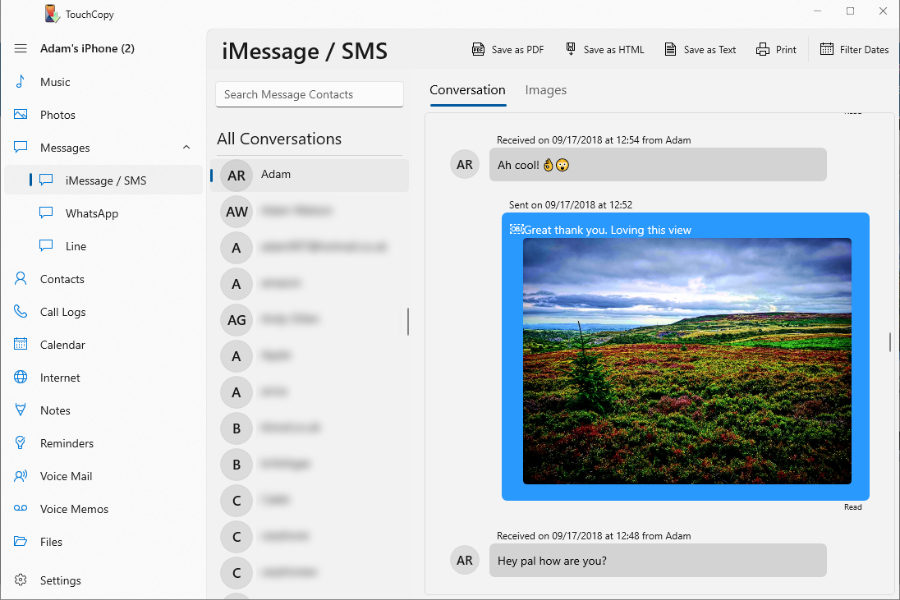
View SMS conversations stored on your iPhone on your computer with TouchCopy. Save selected SMS conversations to your computer as text files. ( Jail broken iPhone support only). More Information
Voice Mail
Play Voice Mail messages from your iPhone through your PC. Copy Voice Mail message audio files to your PC for safe keeping. More Information
Options
TouchCopy provides a high level of flexibility and customization. Customize your software functionality using the Options window. More Information
TouchCopy® is a registered trademark of Wide Angle Software ltd.
Apple®, iPod®, Mac®, iPhone®, QuickTime® and iTunes® are a trademark of Apple Inc., registered in the U.S. and other countries.
Wide Angle Software is not affiliated with Apple Inc.
This user guide Copyright © 2009 - Wide Angle Software Ltd.