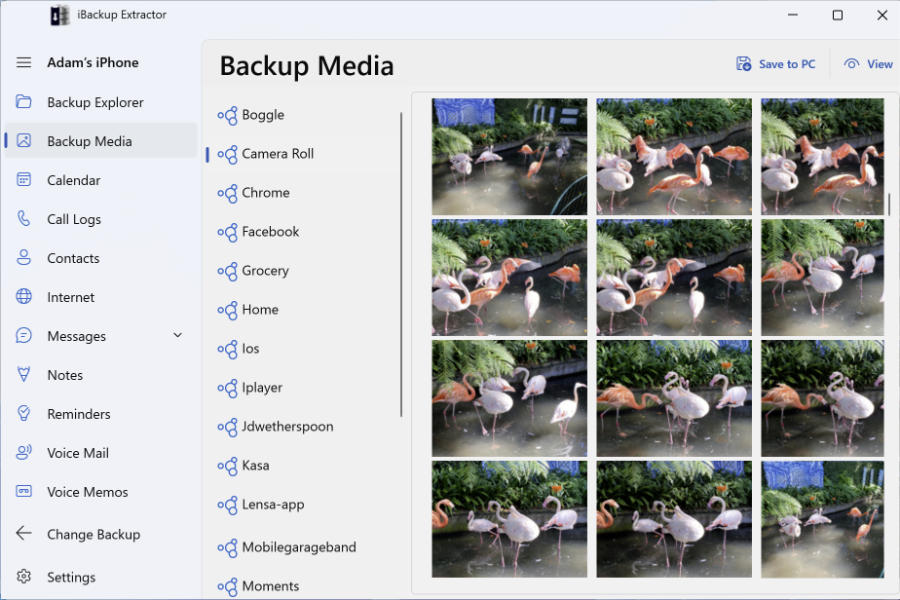
You can use iTunes, the Apple Devices app or Finder to create a backup of your iPod Touch, iPad or iPhone on your computer. Your backup will contain your iOS device data, such as your messages, contacts, calendars and call logs.
These backups can be used to restore your device, in case something goes wrong with it. However, you can't access the content in the backup on your computer without a third-party app. iBackup Extractor will help you browse and extract the information held within these backup archives.
On Windows, you can use the Apple Devices app or iTunes to back up your iOS device.
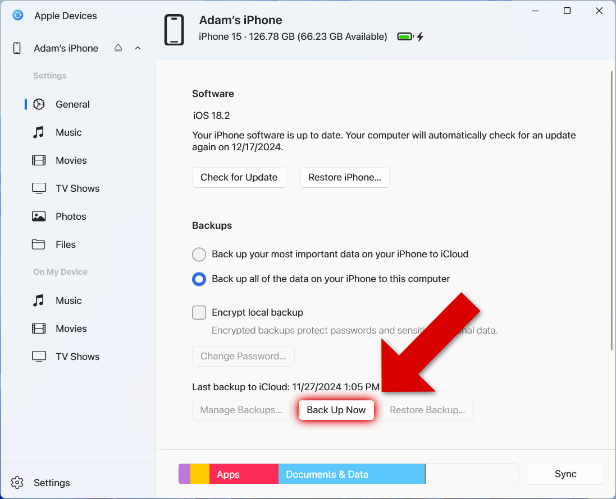
As you can see, there's also the option to back up your device to iCloud. However, if you want to be able to access the files in your backup with iBackup Extractor, the software will need access to a local backup, rather than in iCloud.
If you are using a Mac or MacBook running macOS Catalina or higher, you will have noticed that iTunes has been replaced by the Music app.
For this reason, Apple has changed the way you can back up your iPhone, iPod or iPad. Now, you'll need to use the Finder app. Here's how it's done...
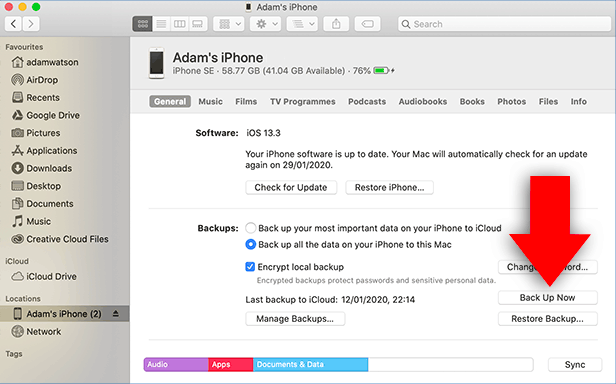
As mentioned, backups made with iTunes, Apple Devices and Finder have one purpose - to be restored to a device if something should go wrong. This is great if you accidentally delete important content, your phone breaks, or is stolen - you can restore all your backed-up content!
However, without an app like iBackup Extractor, it is not possible to access the files stored in your backup on your computer.
So if you want to extract content like photos, messages, contacts and more from your backup, simply download iBackup Extractor on your PC or Mac! Here's how it works...