TouchCopy 11
User Manual
www.wideanglesoftware.com

TouchCopy 11 - User Guide

Welcome

Welcome to the TouchCopy 11 User Guide. This document will guide you through the steps to using TouchCopy.

Table of Contents

Introduction
TouchCopy is the premier iPod, iPhone and iPad back-up solution. Start here to learn more about TouchCopy.
Requirements
Find out which iPod and iOS device TouchCopy works with ( clue: all of them! ) and the system requirements your computer needs to run TouchCopy 11.
Quick Start Guide
Get up and running quickly with this Quick start tutorial on how to copy music from your device to iTunes.
Audio & Video
TouchCopy can play and copy all the Audio and Video content on your iPod or iPhone. TouchCopy is able to generate logs and reports letting you know what has been copied and what is missing.
Photos
View your photos on your iPod, iPhone or iPad directly on your PC or Mac. Save a selection of photos to your computer or set one of the photos as your desktop background picture.
Camera
Use TouchCopy to view and copy all the Photos and Videos taken with your iPod, iPhone or iPad camera. Photos and Videos are grouped by date so you can quickly find the memories you're looking for.
Apps & Games
Use TouchCopy to view all the Apps and Games on your iOS device. Copy selected Apps back to your iTunes library. View and copy documents stored within Apps on your iOS device.
Books
TouchCopy can copy all your Audiobooks and iBooks back into iTunes. TouchCopy can also display PDF files stored in iBooks directly on your computer.
File Manager
Access your iOS device file system. View copy move and delete files on your iPod Touch, iPhone or iPad just as you would any other external flash drive attached to your PC.
Messages
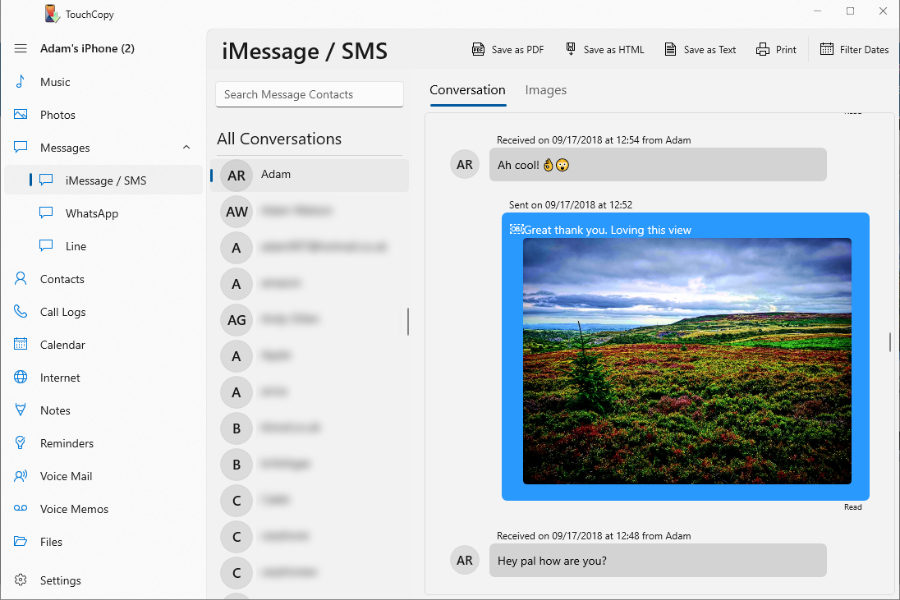
View SMS and MMS conversations stored on your iPhone on your computer with TouchCopy. Save selected SMS conversations to your computer as web pages (HTML files).
Contacts
View contacts on your iPod. Save contacts to your PC or Mac. Add new contacts or edit existing contacts on your iPod using TouchCopy.
Calendars
View calendars on your iPod in TouchCopy. Save appointments and tasks to your computer. Add new or edit existing calendar appointments or tasks to your iPod using TouchCopy.
Notes
View notes on your iPod or iPhone using TouchCopy. Add new notes, edit existing notes or even delete notes on your iPod. Organize your notes into folders for easy access.
Voice Mails
Use TouchCopy to play Voice Mail messages you have received on your iPhone and copy to your computer.
Voice Memos
TouchCopy can play your Voice recordings you have made on your iPod or iPhone and save them to your PC or Mac.